
If there are no consoles shown under My Consoles
How to fix issues when OneCast doesn't detect your Xbox console.
Before you may use OneCast to connect to your Xbox console, you must enable remote features on your console. Please follow these steps:
- Open Settings on your Xbox and navigate to Devices & connections > Remote features
- You will see an option for Enable remote features. Turn it on (so that it shows a tick within the box) as shown below:
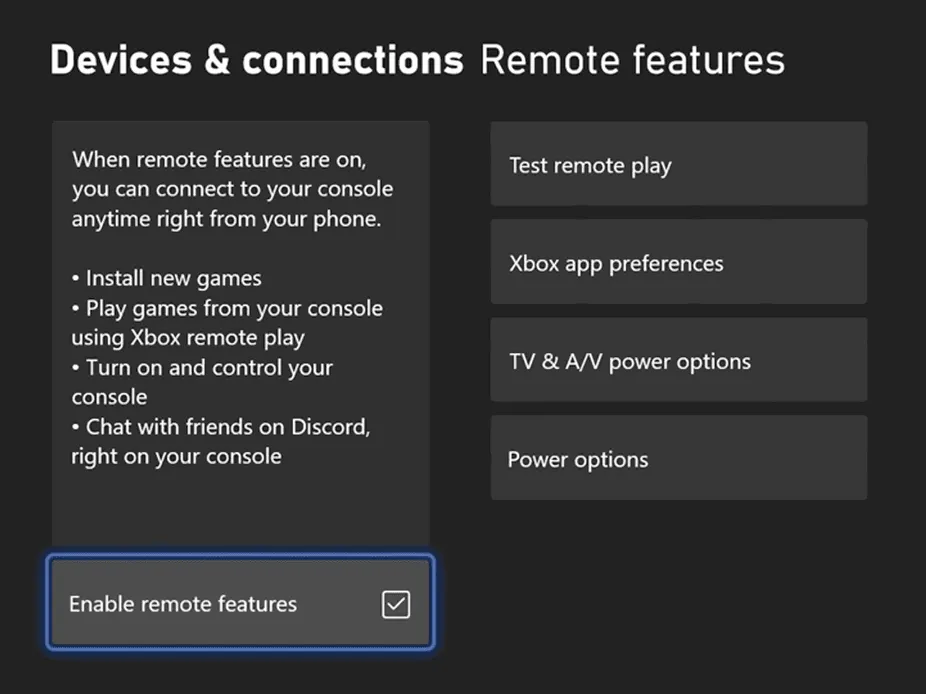
- If you find that it is already enabled, then please first toggle it off, then back on again
- Try again to connect to your console with OneCast
If you’re still having issues, ensure that both your Xbox and your Mac/iOS device are connected to the same local network.
Share: